
Affiliatable coupon code searches usually mean one thing: you want better-looking product tables without overpaying for yet another affiliate tool. As of September 2026, I couldn’t confirm a public, always-on coupon string promoted on Affiliatable’s official pages, so this guide focuses on savings you can validate in seconds—free plan first, then paid only when you outgrow it.
You’ll see where legitimate discounts tend to appear (official plan tabs, limited offers, and partner emails), how to apply a private promo if you received one, and which policy details matter before you upgrade. The goal is simple: a lower honest total today, plus fewer billing surprises later.
As of September 2026, if you’re hunting an Affiliatable coupon code, the quickest “deal” is usually built into the plans: start on the Free-forever tier and upgrade only when your tables, boxes, or connected sites outgrow it.
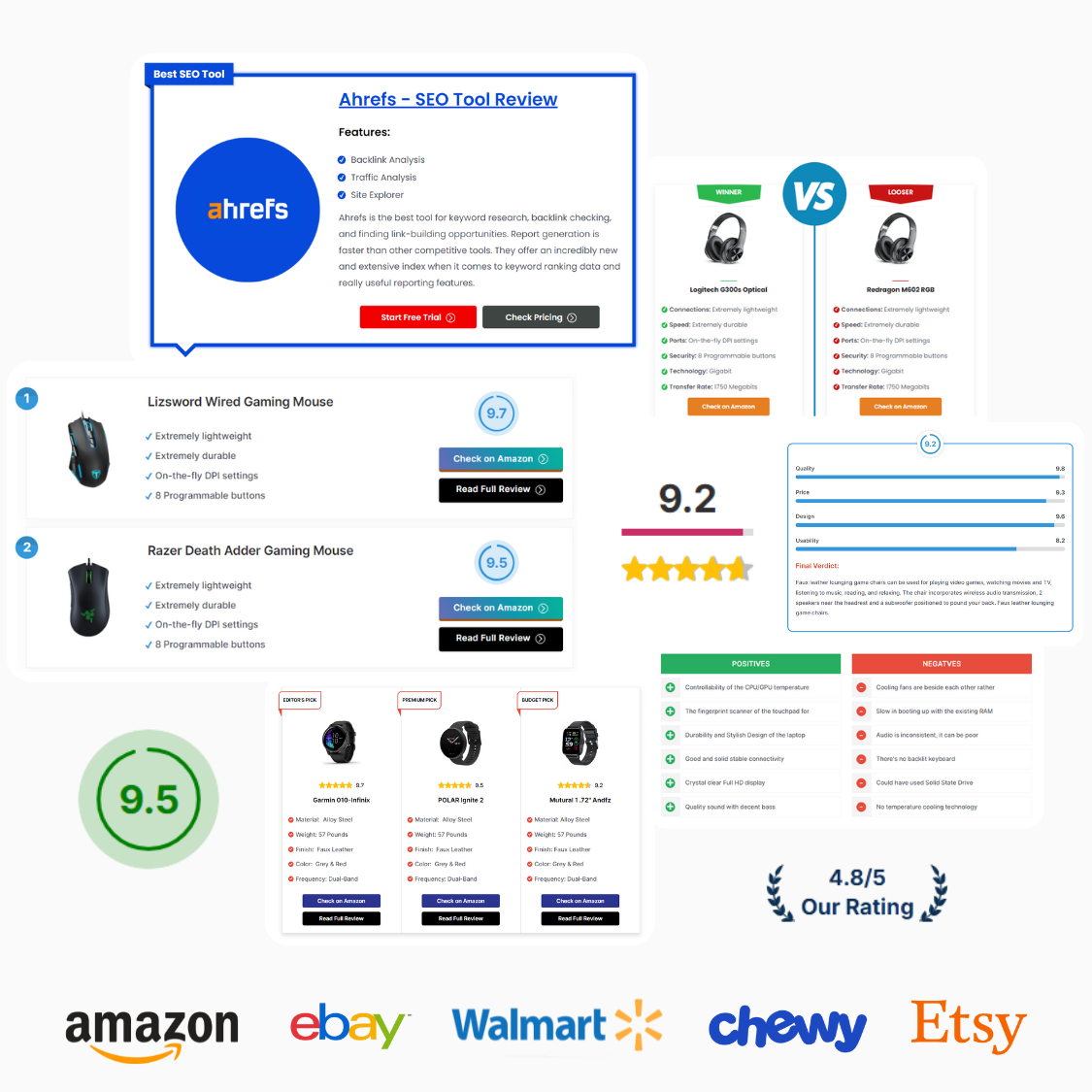
Solo niche blogger polishing a high-intent “best X” roundup.
Media site editor rebuilding older money pages for speed.
Creator sharing product picks across multiple social channels. Your checkout may differ depending on which plan tab you pick and your billing currency. This isn’t magic… pricing + policy. Micro-check #1: the pricing section shows a Free-forever Basic plan (30 tables & boxes) and an annual Pro Standard option listed at $79 for 1 website. Micro-check #2: the Terms say you have 7 days after a monthly or yearly transaction to request a refund, with the company reserving the right to decline if it sees high activity during that window. If the checkout template changes, this may change.
Affiliatable coupon code status
Here’s the boring truth you can verify. Affiliatable doesn’t lean on a constantly advertised, public coupon string; it leans on plan pricing, a Free-forever entry point, and occasional limited offers that live on official pages. Start from official buttons, not coupon scrapers, because that’s the only place you can validate what you’ll pay today.
If you do receive a code from an official email, partner, or in-app message, treat it like a receipt item: apply it once and confirm the total updates before you click pay. If it’s not in the cart, it’s not real.
Best for: affiliate marketers and publishers building “best of” lists, comparison pages, and product boxes across Amazon and other merchants, especially when speed and clean embeds matter.
Not ideal for: sites that only need a single static table once a year, or teams that prefer to hand-code every component and never reuse templates.
Check with a professional first if: you’re navigating strict affiliate compliance rules, disclosures, or trademark guidelines and need advice tailored to your jurisdiction and programs.
Want the simplest sanity check you can run? Open the official pricing page in one tab, then open your billing screen in another, and compare totals without switching devices mid-flow.
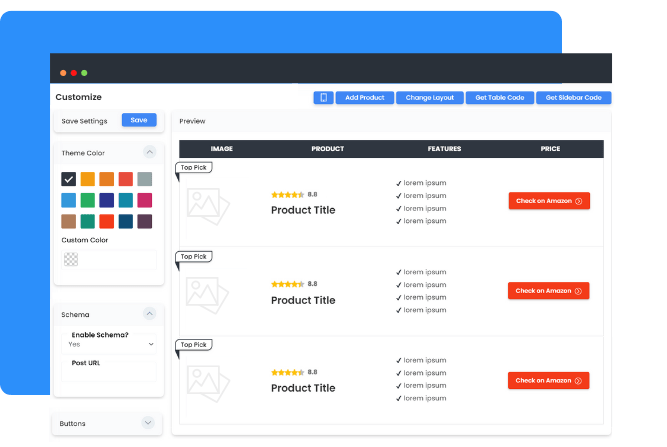
Best ways to save (no-code)
Most savings come from avoiding the two classic mistakes: upgrading before you have a repeatable publishing rhythm, or paying for a multi-site license when you only have one active money site right now. No magic, just math, and disciplined publishing.
- Use Free as your “fit test”: build a handful of tables, check load speed, and confirm the embed looks right across your theme and devices before you spend anything.
- Match the license to your real site count: if you run one site today, buy for one site today; you can scale later when the second site is actually publishing.
- Batch updates instead of rebuilding: create a reusable template style once, then duplicate and swap products, so you spend time on content and not on formatting.
- Keep your tool stack lean: if this replaces two plugins you were paying for, the “net” cost can drop even if you don’t find a coupon.
- Exploit deep links strategically: if you promote a table in email or social, deep-linking can reduce the need for separate link-in-bio tooling.
- Watch for official limited offers: the site advertises limited-period pricing at times, so check the official pricing section before you renew or upgrade.
Your time is the expensive line item. The best “discount” is often the workflow that lets you publish two more money pages this month.
To see current plans and any official offer messaging in one place, use this tracked Affiliatable route and compare options in the same session.
How to apply a promo (steps)
Discounts can be code-based or link-based, but the verification rule never changes: apply, then confirm the order summary reflects the new total before you authorize payment. Trust the order summary, not a headline.
- Sign in to your Affiliatable account and open the upgrade or billing area.
- Select the plan tier that matches your site count and expected table volume.
- If you were given a coupon code, paste it exactly as provided and click apply.
- Confirm the subtotal/total changes, then complete checkout.
- Save the receipt email and note your renewal date so you can reassess with real usage data.
Need a quick walkthrough before you commit? This official tutorial shows a typical setup flow and where the key actions live.
Code fail checklist
Codes fail for boring reasons, and you can usually diagnose the problem in under a minute if you check the basics first. Screenshots lie; totals don't.
- Wrong starting page: some promos require a dedicated landing page link and won’t apply if you start from a generic pricing page.
- Plan mismatch: a code can be scoped to a specific tier, site count, or billing period.
- Eligibility rules: new-customer or partner codes can be limited to certain accounts or emails.
- Expired or capped redemptions: campaigns end, while coupon sites keep recycling old strings.
- Non-stackable discounts: a plan already priced as a limited offer may block additional coupons.
- Formatting issues: extra spaces and capitalization errors can break an otherwise valid code.
If a code was issued to you officially and still fails, contact support with the code, your selected plan, and a screenshot of your order summary, so they can confirm scope quickly.
Pricing, plan limits, and refund reality check
Affiliatable’s pricing is structured around how publishers actually scale: you can start free, then choose a paid license based on the number of websites you need and how many tables/boxes you expect to create. I first assumed the only upgrade path was subscription-only, then realized the site also advertises lifetime license options as limited-period offers, which changes the math if you plan to use the tool for years.
Rule of thumb: if one improved table lifts clicks enough to pay for the plan, stop overthinking the coupon hunt and ship more pages.
On refunds, Affiliatable’s Terms describe a 7-day window to request a refund on monthly or yearly subscriptions, with the company reserving the right to decline the request if it sees high activity that looks like abuse or spam. Read the policy once, then move on, because your best protection is buying the right license for the work you will actually do.
Cancellation is also worth reading: the Terms say you can cancel by logging into your account or contacting support, and your cancellation takes effect at the end of the current paid term, which is typical for subscription tools.
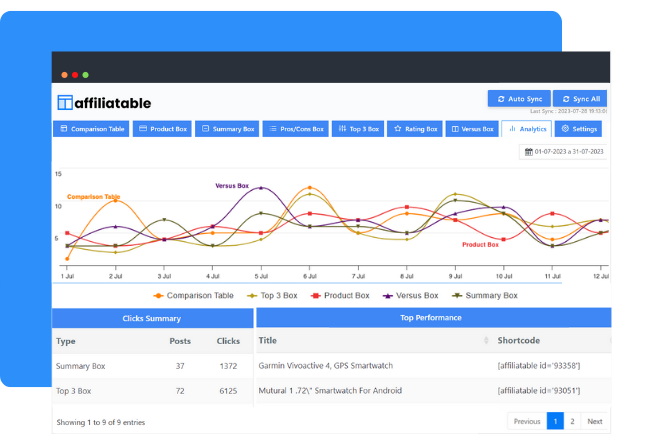
In practical terms, the “best price” is the plan you’ll keep using. If you buy a multi-site license but only publish on one site this quarter, the unused capacity is your real loss.
Seasonality
Keep it simple.
Affiliatable’s pricing section explicitly references limited-period offers, and the Terms mention that the company sometimes offers lifetime deals. That pattern usually means promotions show up as official landing pages or updated pricing cards, not as evergreen coupon strings you can copy from a deal forum.
Discounts are nice, but consistency compounds faster. If you can time a purchase around an official promo, great—just verify the total in checkout—but don’t pause publishing for weeks hoping a code appears.
Alternatives
If Affiliatable isn’t the right fit for your workflow, compare alternatives based on three criteria: how clean the output is, how fast you can build components, and how well it integrates with your existing affiliate link setup.
- Lasso: product displays, link management, and reporting for affiliate sites that want a broader toolbox.
- AAWP: an Amazon-focused WordPress plugin for product boxes and comparison tables.
- AffiliateX: Gutenberg-first affiliate blocks for WordPress sites that live in the block editor.
- TablePress + custom styling: DIY tables when you want control and don’t need rich affiliate elements.
- Manual HTML/CSS components: best when your dev team can maintain components and you want zero vendor dependence.
Whatever you pick, make sure it supports the way you publish: if you update many posts monthly, you want a workflow that makes edits fast and consistent.
FAQs + operator notes
Is there a verified Affiliatable coupon code right now?
A: As of September 2026, I couldn’t confirm a public, always-on coupon string promoted on Affiliatable’s official pages. If you receive a code from an official email, partner, or in-app message, apply it and confirm your total changes before paying.
What’s the safest way to save without a code?
A: Start on the Free plan, upgrade only when you outgrow it, and buy the license that matches your real website count. Most overspending comes from paying for capacity you won’t use.
Do they offer refunds on subscriptions at all?
A: The Terms describe a 7-day refund request window for monthly or yearly subscriptions, with the company reserving the right to decline if it sees high activity during that window.
Can I cancel anytime without losing access?
A: Yes—Affiliatable’s Terms say you can cancel by logging into your account or contacting support, and the cancellation takes effect at the end of the current paid term.
Does Affiliatable only work for Amazon sites?
A: No. The official FAQ states it’s built to promote merchants beyond Amazon, and it highlights multi-retailer CTAs plus integrations like Amazon and Geniuslink APIs.
Is Affiliatable worth it without a discount?
A: It can be, if it saves you hours of formatting or if cleaner tables improve clicks and conversions. The practical test is whether it helps you publish and update money content faster, without slowing your site down.
Operator notes: Last checked: September 2026, using official pricing and terms pages. Verified on the official pricing page: the Free-forever Basic tier and the presence of both annual and lifetime pricing tabs, plus per-website licensing. Verified on the official Terms: the 7-day refund request language and end-of-term cancellation behavior. Not verified: any third-party “coupon code” claims, because they were not published as universally available on official pages at the time of review.