
Writecream coupon code hunts are common, but the safest savings usually come from what the official site shows in pricing and policy pages—not from random “working code” lists. As of September 2026, I couldn’t confirm a public, always-on code that Writecream publishes for everyone.
This page walks you through legitimate ways to pay less anyway: starting on the Free Forever tier, choosing the right plan for your weekly output, and double-checking the refund window before you commit. If you do receive a private promo from an official email or partner link, you’ll also get a clean “apply and verify” process so you can confirm the total drops before you pay.
As of September 2026, searching for a Writecream coupon code can feel like a time sink, because most “codes” you’ll see online aren’t confirmed by Writecream itself. The best approach is boring on purpose: start from official pages, then let the checkout total be the final proof.
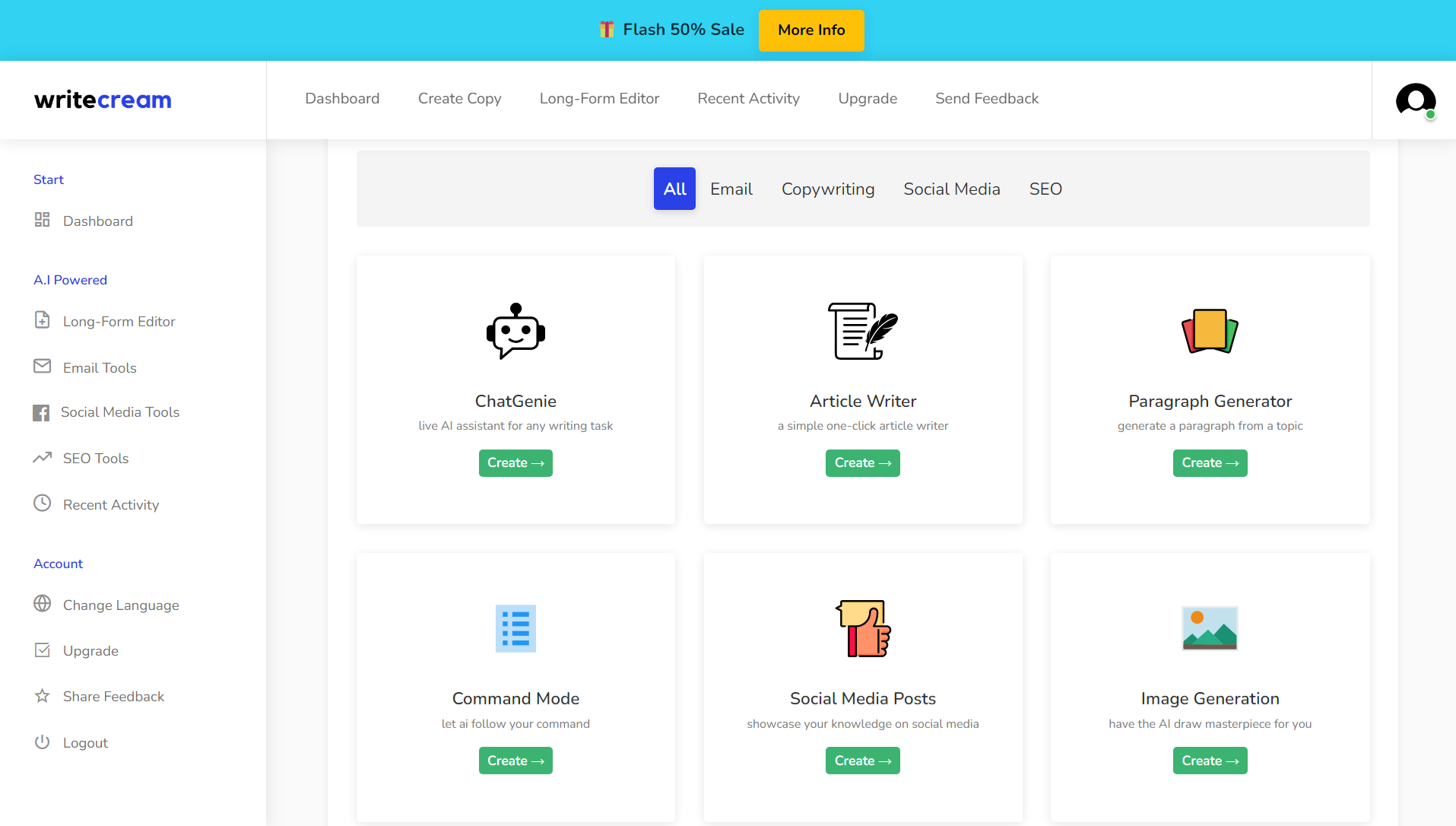
Here’s the boring truth you can verify quickly: Writecream tends to surface savings through its plan structure (including a Free Forever tier) and clear policy pages, not through an evergreen discount string. Your checkout may differ depending on currency, taxes, and whether you’re upgrading inside the web app. This isn’t magic… pricing + policy. Start with Free Forever. Micro-check #1: the Refund Policy page describes a 14-day money-back guarantee and explains you can request it via support email or the on-site chat icon. Micro-check #2: the main Writecream site lists “Unlimited (Limited Offer)” at $29/month and “Unlimited Pro Max” at $49/month alongside the Free Forever option. Keep the receipt email.
Writecream coupon code status
When people ask for a “coupon code,” they usually want a simple percent-off field to paste at checkout. I first assumed Writecream ran constant public promo codes, then realized the site leans more on plan-based value (Free Forever + paid tiers) and a published refund window, while third-party coupon lists are inconsistent at best.
Screenshots lie, but checkout totals are stubborn. If you received a private promo (from an official email, partner, or in-app message), use it—just verify the total actually changes before you pay.
Best for: marketers, founders, and creators who want an all-in-one AI toolbox (writing + SEO workflows + voiceovers/images) and who publish content every week.
Not ideal for: teams that only need one narrow feature (like a standalone grammar checker) or anyone who rarely ships content and won’t use the tools consistently.
Check with a professional first if: your content includes regulated claims (health, finance, legal) or you need strict compliance review before publishing.
One operator habit that saves money: compare two tabs (pricing page vs upgrade screen) and trust the plan name, billing cadence, and final total you see in your own account.
A clean workflow beats a flashy discount every time.
Best ways to save without a code
No magic here, just math you can repeat. If you can’t confirm a public coupon, you can still reduce spend by treating Writecream like a content workflow rather than a toy you open once a month.
- Start free, then upgrade on demand: the Free Forever tier is a low-risk way to validate your workflow before you spend anything.
- Right-size to your publishing cadence: if you publish a couple posts a week, you’ll value unlimited generation more than you’ll value extra seats.
- Batch your work: outline, draft, and edit in one sitting so you don’t burn time “re-learning” prompts every session.
- Reuse a house style: a consistent voice guide reduces rewrites and makes outputs easier to approve.
- Use the SEO agent only where it matters: run Lexi-style research on pages that can actually rank, not on every random idea.
- Pick one workflow to master first: for most users it’s either “SEO article → publish” or “outreach message → personalize,” not both at once.
Buy for real usage, not optimistic future guesses. If you want to see current plan options in the simplest path, use this Writecream deal link and compare the totals inside your own upgrade screen.

How to apply a promo (steps)
Private promos happen, but the discount only counts when your total drops before you authorize payment. If the checkout template changes, this may change.
- Log in to your Writecream account and open the upgrade or billing area.
- Select the plan tier you want, then confirm the billing cadence shown (monthly vs any annual option presented).
- Look for a promo/discount field during the checkout flow (it may appear only at a specific step).
- Paste the code exactly as issued, apply it once, then confirm the order summary total updates.
- Finish checkout only after the total reflects what you expected.
Treat coupon claims like rumors, not receipts. Save the confirmation email and invoice so you can reconcile renewals later.
Code fail checklist
When a code fails, it’s usually a rules mismatch rather than a broken site. Run this checklist once, then move on to the no-code savings that always work.
- Wrong plan scope: the promo may apply only to a specific tier, not every upgrade option.
- Wrong billing cadence: some promos apply to monthly only (or to a longer term only), and switching cadence can invalidate it.
- Eligibility limits: new-customer offers, partner offers, or invite-only promos can be tied to a specific account.
- Expired or capped redemptions: campaigns can stop working while third-party coupon pages keep listing them.
- Non-stackable pricing: a plan already priced as a special offer may block additional discounts.
- Formatting issues: remove extra spaces, match capitalization, and re-type once to avoid copy/paste artifacts.
- Wrong starting link: some offers require a dedicated landing page and won’t apply from the generic pricing screen.
If it doesn’t change the total, it didn’t work. When you have a code from an official source and it still fails, send support the screenshot of your order summary so they can confirm scope in writing.
Run small tests first, then scale calmly.
Pricing, plans, and refund reality check
Writecream’s on-site plan card layout makes the decision fairly simple: Free Forever for evaluation, then paid tiers for heavier throughput and team usage. Policy pages are part of the price, because they define what happens when you cancel, request a refund, or bought through a third-party marketplace.
Rule of thumb: if you won’t publish at least four pieces a month, stay on the smallest plan until you build a consistent cadence.
Here’s a practical way to choose a tier without overthinking it:
- Choose Free Forever if you’re validating whether the templates and tools fit your needs and you’re not yet shipping weekly.
- Choose an unlimited tier if your bottleneck is output volume (blogs, emails, scripts) and you want fewer usage ceilings.
- Choose the higher tier with seats only if multiple people will actively generate content inside the same account and you need collaboration.
Refunds matter more than discounts when you’re piloting a new tool. Writecream’s refund policy describes a 14-day money-back guarantee, explains how to request it, and lists situations where refunds may be denied (including requests after the window and purchases via third-party vendors). For a clean decision, treat the first two weeks as your evaluation window, test your real workflow, and decide before you drift past the deadline.
Make the tool earn its keep every month by tracking one metric that matters: either hours saved in drafting, or measurable lift in clicks/conversions for published pages. If you can’t measure value, you can’t confidently renew.
Seasonality
Discounts for AI writing tools often cluster around big attention windows (feature launches, holiday sales seasons, or partner promotions), but waiting for a coupon can be the most expensive strategy if it delays publishing. A safer approach is to monitor official announcements and your in-app upgrade screen, then buy when the total matches your budget and your workflow is stable.
Here’s another boring truth that saves money: the biggest “deal” is avoiding unused subscriptions. Put a renewal reminder on your calendar a few days before the billing date, review whether the team actually used the tool, and downgrade or cancel while you still have room to think clearly.
Alternatives
If Writecream isn’t the right fit, alternatives may be better depending on whether you need an SEO-first workflow, a brand-voice system, or simple short-form copy templates.
- Jasper: brand voice and team workflows for marketing orgs.
- Copy.ai: sales and marketing templates with workflow-style tooling.
- Writesonic: AI writing plus SEO-oriented features in a broader platform.
- Rytr: lightweight writing assistant for smaller budgets and basic use-cases.
- Frase: research + outline + content optimization focus for SEO teams.
Pick the tool that matches your review process. A slightly cheaper plan is still expensive if it increases editing time or creates approval bottlenecks.
FAQs + operator notes
Q: Is there a verified Writecream coupon code right now?
A: As of September 2026, I couldn’t confirm a public, always-on code published by Writecream itself. If you receive a private promo from an official email or partner, apply it and verify the order summary total changes before paying.
Q: What’s the safest way to save if I don’t have a code?
A: Start on Free Forever, validate one workflow end-to-end, then upgrade only when you consistently ship content and would actually use the extra capacity every week.
Q: Does Writecream offer refunds or a guarantee?
A: The Refund Policy page describes a 14-day money-back guarantee and explains how to request it, including information you should provide and scenarios where refunds may be denied.
Q: What should I test during the first week?
A: Test your highest-value workflow: either an SEO article from research to publish, or outreach messages from draft to personalization, then measure time saved and output quality.
Q: Why do “coupon sites” list codes that don’t work?
A: Many coupon pages recycle old promos, guess at codes, or list account-specific offers. The only verification that matters is your own checkout total inside Writecream.
Q: Can I use Writecream for SEO content, not just copywriting?
A: Writecream positions Lexi as an SEO agent for research, structure, and optimization, so it can fit SEO workflows if you still review facts, add expertise, and publish responsibly.
Operator notes: Last checked: September 2026, using official pricing and policy pages. I reviewed Writecream’s official site for plan names and on-page pricing cards, and I reviewed the Refund Policy page for the 14-day money-back guarantee and the listed request procedure. I did not verify any public coupon strings as universally available, because none were published as “always on” on the official pages reviewed; if you see codes elsewhere, treat them as unverified until your own order summary reflects the discount.