
The LinkBoss coupon code question is simple: does it reduce the total you’re actually charged in the official purchase flow? As of April 2026, LinkBoss publicly lists a new-user discount and a free trial, but most “exclusive” codes you see elsewhere aren’t verifiable. This guide shows what you can confirm on the official site, how to apply a promo safely, and the no-code ways to save that work even when you don’t have anything to paste. Expect practical steps, common failure fixes, and a refund-policy reality check so you don’t buy the wrong plan for your workflow.
If you’re searching for a LinkBoss coupon code, the fastest way to avoid bad info is to verify the discount where the payable total updates. As of April 2026, LinkBoss lists a “New User 5% Off” deal on its official deals page with coupon NewUser, and the payment methods banner on the pricing page includes a “Powered by Stripe” mark. Your checkout may differ depending on whether you buy monthly or yearly and which billing screen you land on. If you’re a solo site owner, you’ll care about not overbuying credits.
If you run an agency, you’ll care about multi-site limits and predictable renewal.
If you’re a content team, you’ll care about how fast credits burn during bulk interlinking. This isn’t magic—just pricing + policy. I first assumed coupon hunting would be the main lever, then realized the plan toggle and credit discipline usually matter more. If the checkout template changes, this may change.
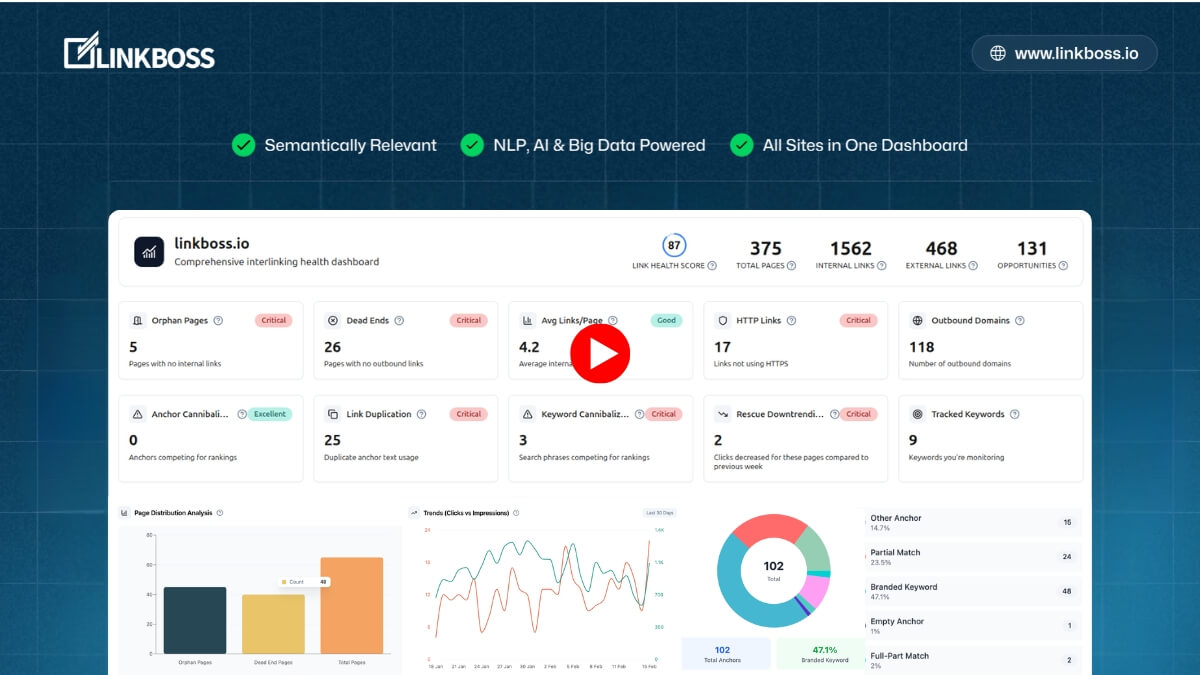
Here’s the boring truth about saving on SEO tools: most of the time, you win by paying only for what you’ll actually use. Start with the trial. Then decide whether your workflow needs monthly flexibility or annual pricing. Keep your receipt handy. Verify totals before paying.
Read more: coupon status, saving tactics, and FAQs
LinkBoss coupon code status
LinkBoss does publish its own deal information, which is the only place I treat as “verified” for code claims. As of April 2026, the official deals page advertises a new-user discount, and the main pricing page highlights monthly and yearly plan options with different credit amounts and site limits. Marketing pages can change, so the safe rule is to treat a code as real only when the total drops on the same screen you’re about to pay.
Plan math beats promo hunting most days, especially when credits reset or expire. If you have a code from LinkBoss (email, partner, or in-app), apply it, confirm the total changes, and keep a copy of the offer terms alongside your receipt.
Best for: SEOs and site owners who want fast, semantically relevant internal linking, plus bulk workflows for topic clusters and orphan-page fixes.
Not ideal for: buyers who need permanent stacked discounts or who rarely update content and won’t use credits consistently.
Check with a professional first if: you need compliance review for client sites, regulated content, or strict change-control processes.
Best ways to save (no-code)
If you want savings you can repeat, focus on levers that don’t rely on a coupon box. The goal is to avoid paying for unused credits or the wrong site limit.
- Use the free trial as a fit test: run a small batch on a real cluster and watch whether the suggested anchors match your editorial style.
- Stay monthly while you’re still learning: monthly billing can be a cheaper “tuition fee” until you know your typical credit burn.
- Switch to annual only when your usage is stable: annual packages can be cheaper per credit if you’re consistently running bulk jobs.
- Right-size by sites first, credits second: agencies often need higher site limits even if credit usage varies month to month.
- Batch work into sprints: plan one or two interlinking sessions per month rather than constantly “nibbling” credits without finishing clusters.
Start from official buttons, then verify the total on the pay screen. If you want the cleanest path back to current offers, use this LinkBoss link and work forward from there.
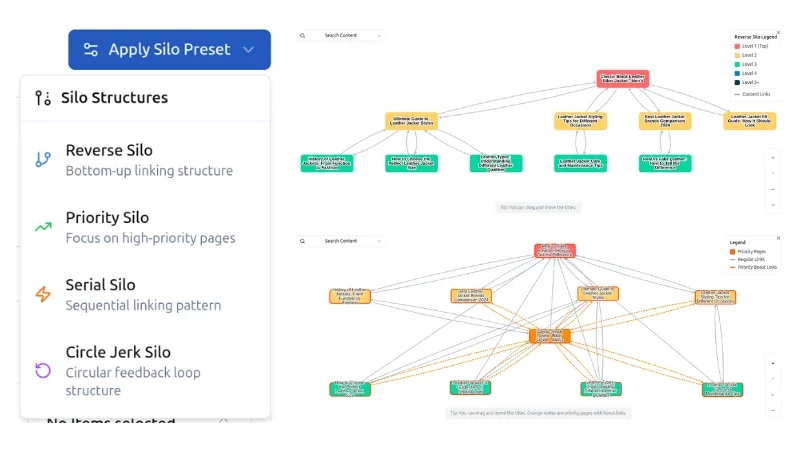
How to apply a promo (steps)
Applying a promo is straightforward, but the exact UI can vary depending on how you enter the purchase flow. The safest approach is to get to the final payment step and confirm the discounted total before you submit.
- Create an account and log in to your dashboard.
- Navigate to the packages or billing area and choose your plan (monthly or yearly).
- If you see a promotion code field, enter your code exactly as provided and apply it.
- Confirm the total updates before you finalize payment.
- Save the receipt email and note your renewal date in your calendar.
Code fail checklist
When a promo doesn’t apply, it’s usually a rule mismatch rather than a “broken” checkout. Work the checklist once, then decide based on the real total in front of you.
- Re-type the code to remove hidden spaces from copy/paste.
- Check capitalization and lookalike characters (O vs 0, I vs l).
- Confirm the discount is valid for your chosen billing cadence (monthly vs yearly).
- Verify you selected the correct plan tier and site limit for the offer.
- Try a private/incognito window if extensions interfere with billing screens.
- If the offer came via email, reply to that thread and ask support to confirm eligibility.
Receipts are more reliable than screenshots, so trust the live total you’re actually asked to pay.
Pricing, credits, and refund reality check
LinkBoss pricing is organized around two practical constraints: how many sites you can connect and how many credits you can spend. Monthly plans are usually best for testing and lighter ongoing work, while yearly plans can make sense when you have a predictable content cadence and consistent internal linking sprints.
Credits are the hidden “cost center,” so treat them like production capacity. If you routinely bulk interlink large clusters, you’ll burn credits quickly and should prioritize the package that matches your real workload. If you only occasionally add a few links to new posts, the biggest waste is buying a big plan and letting credits reset or expire without finishing the work.
Now the policy part that matters more than a coupon. The marketing page and FAQ emphasize a 14-day money-back guarantee, while the Terms and Conditions include language stating that charges are non-refundable and that termination does not entitle you to a refund unless otherwise notified in writing. When a site shows both, I treat the Terms as the strict baseline and the guarantee as something you should confirm with support for your specific purchase. That single email can save you more money than any discount code ever will.
Another practical detail: LinkBoss describes different credit behaviors for monthly versus yearly plans, including that monthly credits reset at the end of each month and do not roll over, while yearly credits are granted upfront and expire after one year. This is why “annual because it’s cheaper” only works when you’ll actually use the credits within the validity window.

Rule of thumb: buy the smallest plan that removes your bottleneck, then upgrade only after you hit limits for two consecutive cycles. That keeps you from paying for theoretical future usage.
Seasonality
SaaS discounts are not as predictable as retail, but SEO tools often run stronger promotions around high-attention periods like Black Friday and Cyber Week. LinkBoss has historically published seasonal deal pages, so it’s reasonable to expect occasional promo pushes, even if the day-to-day best value is still the plan that fits your workflow.
If you’re flexible, note the current monthly and annual totals you see now, then compare during major promo windows. If you’re already losing hours every week to manual interlinking, waiting for a hypothetical sale can cost more than it saves.
Alternatives
If LinkBoss isn’t the right fit, compare alternatives based on how you work: plugin-first linking inside WordPress, cloud workflows across multiple sites, or editorial control versus automation. Here are common options people compare:
- Link Whisper: a popular WordPress plugin for internal link suggestions and reporting.
- Yoast SEO / Rank Math internal linking features: lighter-weight options if you already use these SEO suites.
- Manual editorial process + SOPs: surprisingly effective for smaller sites where quality control matters most.
- Custom scripts + spreadsheet workflows: best for teams with technical resources and a strict linking strategy.
- Other AI interlinking tools: compare on semantic quality, false positives, and how well anchors read inside real sentences.
For a fair comparison, run the same small topic cluster through each tool and judge the output by relevance, anchor naturalness, and how much cleanup you had to do.
FAQs + operator notes
Q: Is there a working LinkBoss coupon code right now?
A: As of April 2026, LinkBoss lists a new-user discount on its official deals page. Treat it as valid only if it reduces your payable total in the official purchase flow.
Q: What’s the safest way to save without any code?
A: Start with the free trial, stay monthly while you learn your credit burn rate, and move to annual only when you’re consistently hitting limits and will use credits before they expire.
Q: Do monthly credits roll over?
A: LinkBoss states that monthly credits reset at the end of each month and do not roll over, so plan your internal linking work in sprints to avoid unused capacity.
Q: Do yearly credits expire?
A: LinkBoss states that yearly plans grant credits upfront and any unused credits expire after one year, which is why annual pricing only makes sense when usage is steady.
Q: What should I do if a promo won’t apply?
A: Re-check cadence and plan eligibility, re-type the code, and confirm the final total changes before paying. If the promo came via email, ask support to confirm eligibility for your specific plan selection.
Q: Is there a refund or money-back guarantee?
A: The site highlights a 14-day money-back guarantee, while the Terms include non-refundable language. If refunds matter for your decision, confirm your eligibility in writing with support before you purchase.
Operator notes
Last checked: April 2026
- What was verified on official pages: the deals page lists a new-user discount and coupon label; the pricing page lists monthly and yearly plans; the FAQ describes the free trial and credit behavior; and the Terms contain the platform’s fees/payments/refunds language.
- What wasn’t verified / not claimed: any third-party “exclusive” codes, any extra percentage discounts beyond what LinkBoss publishes, or any stacking rules unless the live checkout total reflects them.
- How to verify yourself: apply the promo in the official billing flow and confirm the payable total changes, then save the receipt and the terms you agreed to at purchase time.